

Login
Login

Whether personal documents, contracts, or financial records – SecureSafe Files protects your confidential data with zero-knowledge architecture, Swiss-based hosting, and complete control in your hands.

Built for modern teams who want to stay in control.
SecureSafe File simplifies teamwork while keeping your privacy intact. With team safes, role-based access rights, and encrypted sharing links, you retain full control over your data.
Thanks to automatic synchronization, you can securely access your files not only at work, but also on the go via laptop or smartphone - always up-to-date and available everywhere.
Developed in the heart of Europe, SecureSafe File stores all data exclusively in high-security, ISO-certified Swiss data centers.
Your files remain fully encrypted at all times; only you and your team can access them in plain text. Even we, as the provider, have no access to your data.
Keep your sensitive data protected – anytime, anywhere.
Seamless synchronization across devices
Automatic synchronization lets you securely access your files from your laptop, smartphone, and more. Always up to date and available wherever you are.

SecureSafe File was developed in the heart of Europe; your files are also hosted exclusively in highly secure Swiss data centers, and are thus protected by strict data protection laws.

Your sensitive files remain fully encrypted at all times. Only you can access them in plain text. Even we, as the provider, have no access to your data.
With dedicated Team Safes, you can share confidential documents without risk. Granular access rights and encrypted links ensure you stay in full control.
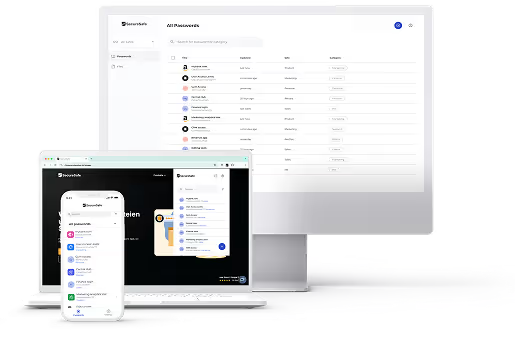
SecureSafe protects, stores, and synchronizes your most important files – seamlessly, yet always with tangible security.

Stay in charge of your sensitive documents; you alone decide who gets access.

Your files are securely organized and always available – across all your devices.

Automatic backups and versioning ensure that nothing is lost - even if something goes wrong.

Rely on Swiss data protection, uncompromising encryption, and the highest security standards.

Short, clear, and helpful—your most important questions explained.
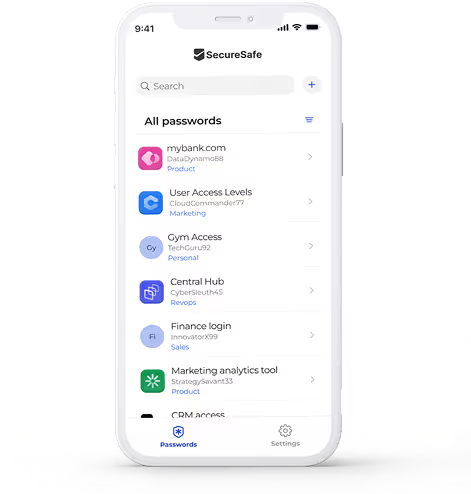
Yes. SecureSafe File is designed as a modular solution and can be used either on its own or bundled with SecureSafe Pass. Separate security tools often create gaps between password and file management, but the bundle unifies both modules in one platform, ensuring seamless protection for your sensitive data.
Yes. SecureSafe File enables secure synchronization of your files between web browser and mobile app without compromising on security or usability. This means you can access your data anytime and anywhere.
Yes. With shared Team Safes (available to private users as part of the Family Bundle), you can securely share files with selected users. Individual access rights, such as administrator, editor, or viewer can be assigned, modified, or revoked at any time.
No. SecureSafe File is a premium service for users who prioritize uncompromising security and reliable access control.
If you forget your master password, access to your account can only be restored using the personal recovery code you received during setup.
Important: This code is your only recovery option, even we, as the provider, cannot access your data. This strict zero-access policy prevents unauthorized access to your information. Be sure to store your recovery code in a safe place. Without it, your account will remain permanently locked.
Yes. SecureSafe File meets recognized accessibility standards (WCAG 2.2 AA) to ensure an inclusive experience for all users. The application supports screen readers, keyboard navigation, and other assistive technologies on compatible platforms ensuring that users with disabilities can access their data securely and comfortably.

