_converted%5B1%5D.avif)
Ihre Passwörter, unser Schutz
Alle Passwörter Ihres Unternehmens an einem Ort
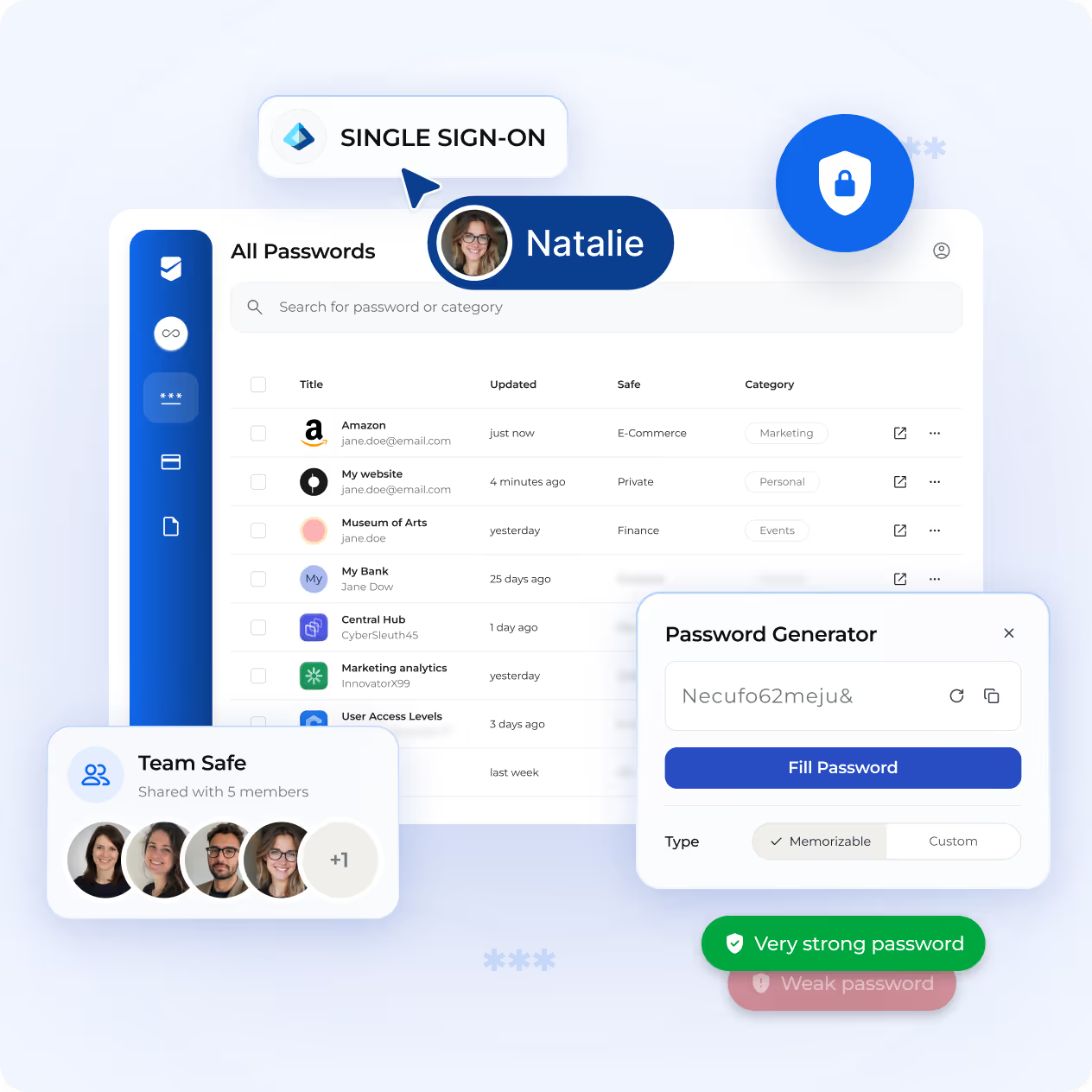
SecureSafe Pass hilft Teams, Passwörter, Zugangsdaten und sensible Zugriffsdaten sicher zu speichern, zu verwalten und zu teilen. Entwickelt für Organisationen, die täglich sensible Informationen verarbeiten. Konzipiert für Umgebungen, in denen Compliance, Nachvollziehbarkeit und Kontrolle unverzichtbar sind.
Der richtige Zugriff, für die richtigen Personen, zur richtigen Zeit
Entwickelt für die Art und Weise, wie Unternehmen Zugriffe tatsächlich verwalten
Von der internen Zugangsdatenverwaltung bis zur externen Zusammenarbeit passt sich SecureSafe Pass den Zugriffsstrukturen an, auf die sich Ihre Teams bereits verlassen.





Quantifizierbare Passwortsicherheit
Vertraut von Organisationen, für die Kompromisse keine Option sind
200+
Unternehmen vertrauen SecureSafe
18 Mrd.+
sicher gespeicherte Passwörter
10 Mio.+
Endnutzer insgesamt

Was Sie mit SecureSafe tun können
Das Zugriffsmanagement-Toolkit, auf das sich Ihre Teams wirklich verlassen können
Von verschlüsseltem Speicher bis zur teamweiten Zugriffsüberwachung in Echtzeit – jede Funktion basiert auf einem Prinzip: Die richtigen Personen haben den richtigen Zugriff.
Sichern Sie es ab
Zugangsdaten sicher speichern & organisieren
Speichern Sie Passwörter, API-Schlüssel, Anmeldedaten und vertrauliche Notizen in verschlüsselten Tresoren, die nach Kategorien geordnet, für Ihr Team strukturiert und durch Zero-Knowledge-Architektur geschützt sind. Nie wieder verstreute Zugangsdaten, nie wieder geteilte Tabellen.

Stärkere Passwörter, weniger Aufwand
Sichere Passwörter bei Bedarf generieren
SecureSafe Pass enthält einen integrierten Passwort-Generator, der Ihrem Team die Tools an die Hand gibt, um bei Bedarf starke, einzigartige Zugangsdaten zu erstellen – ohne Rätselraten und ohne das Risiko wiederverwendeter Passwörter.
Risikofrei teilen
Sicher teamübergreifend zusammenarbeiten
Teilen Sie Zugangsdaten mit Teammitgliedern über strukturierte Team-Safes. Definieren Sie Berechtigungen, steuern Sie die Sichtbarkeit und entziehen Sie den Zugriff sofort, wenn sich Rollen oder Verantwortlichkeiten ändern.
Zugriff von überall, jederzeit
Zugangsdaten über Web, Browser und Mobilgeräte verwalten
Die Zugangsdaten Ihres Teams sind überall dort zugänglich, wo es arbeitet: über das Web, eine Browser-Erweiterung oder eine mobile App. Ein konsistentes, sicheres Erlebnis auf jedem Gerät, mit vollständiger administrativer Kontrolle zu jeder Zeit.

Sicherheit
Hergestellt in der Schweiz, unabhängig geprüft


Ihre Daten werden in der Schweiz gehostet, in einer verschlüsselten digitalen Speicherlösung, die unabhängig geprüft wird. Sensible Dateien, Projekte und Zugangsdaten bleiben genau dort, wo sie hingehören, und nur Sie entscheiden, wer Zugriff hat – niemand sonst, nicht einmal wir. Volle Datenhoheit, keine Kompromisse.
Kundengeschichten
Wie Teams SecureSafe Pass einsetzen
Von IT-Teams bis zu Beratungsunternehmen: Erfahren Sie, wie SecureSafe Pass in die relevanten Zugriffsstrukturen passt.
Fallstudie
VZ Safe: Digitale Sicherheit für wichtige Dokumente
Um ihre digitalen Dienstleistungen zu optimieren, integrierte die VZ Depotbank VZ Safe, das mit SecureSafe-Technologien entwickelt wurde, in ihr Finanzportal. VZ-Kunden profitieren von einem digitalen Safe für sensible Dokumente, einem Passwort-Manager und einer digitalen Mailbox für den sicheren, rechtskonformen Empfang von Bankdokumenten, auf die sie dank Single-Sign-On (SSO)-Integration jederzeit und von jedem Gerät aus schnell zugreifen können.
Zugeschnitten auf die Arbeitsweise Ihres Teams
Mehr Möglichkeiten, um sicher, effizient und kontrolliert zu bleiben
SecureSafe Pass bietet eine Reihe zusätzlicher Funktionen, die darauf ausgelegt sind, Reibungsverluste zu reduzieren, die Sicherheit zu erhöhen und sich nahtlos in Ihre bestehenden Arbeitsabläufe zu integrieren, damit Ihr Team weniger Zeit mit der Zugangsverwaltung verbringt und mehr Zeit für das hat, was es am besten kann.

Schneller anmelden mit Autofill
SecureSafe Pass füllt Anmeldeinformationen automatisch im Browser und auf Mobilgeräten aus, damit Ihr Team auf die benötigten Tools zugreifen kann, ohne Passwörter manuell kopieren und einfügen zu müssen. Weniger Reibung, gleiche Sicherheit.

Ihre Passwörter importieren & exportieren
Sie wechseln von einem bestehenden Passwort-Manager? SecureSafe Pass unterstützt den Import und Export von Anmeldeinformationen in gängigen Formaten, was den Einstieg unkompliziert macht.
.svg)
Zugriff mit SSO optimieren
Integrieren Sie SecureSafe Pass mit Microsoft Entra ID für den Single Sign-On-Zugriff. Zentralisieren Sie die Identitätsverwaltung und vereinfachen Sie die Anmeldung für Ihr Team.

Jeden Login mit 2FA schützen
Fügen Sie jedem Konto eine zusätzliche Sicherheitsebene mit Zwei-Faktor-Authentifizierung hinzu. Selbst wenn ein Passwort kompromittiert wird, stellt 2FA sicher, dass der Zugriff auf Ihre SecureSafe Pass-Umgebung geschützt bleibt.

Schwache Passwörter erkennen
SecureSafe Pass hilft Ihrem Team, eine starke Sicherheitslage aufrechtzuerhalten, indem es schwache Passwörter bei der Erstellung identifiziert, sodass Schwachstellen aufgedeckt werden, bevor sie zu Risiken werden.

Auf Zugänglichkeit ausgelegt
SecureSafe Pass ist so konzipiert, dass es von jedem in Ihrer Organisation genutzt werden kann – mit einer Benutzeroberfläche, die auf Klarheit, Einfachheit und Benutzerfreundlichkeit ausgelegt ist, unabhängig vom technischen Hintergrund.
Der Einstieg ist einfacher, als Sie denken
Vom ersten Gespräch bis zur vollständige Bereitstellung – wir begleiten Sie bei jedem Schritt.
Kein langwieriger Beschaffungsprozess. Keine komplizierte Einrichtung: Der Einstieg mit SecureSafe ist unkompliziert, und unser Team begleitet Sie bei jedem Schritt.



Zuerst hören wir zu – Discovery Call
Zuerst nehmen wir uns die Zeit, Ihr Unternehmen zu verstehen: Ihre Arbeitsabläufe, Ihre Anforderungen und welche Probleme Sie lösen möchten. In diesem kurzen, unverbindlichen Gespräch helfen wir Ihnen zu beurteilen, ob SecureSafe die richtige Lösung für Sie ist.
Erleben Sie es in Aktion – Demo-Call
Ihr persönlicher Ansprechpartner führt Sie durch das SecureSafe-Modul, das Ihren Anforderungen entspricht, zeigt Ihnen die für Ihren Anwendungsfall relevanten Funktionen und beantwortet alle Ihre Fragen.
Ihre Inbetriebnahme – Implementierung & Onboarding
Sobald Sie bereit sind, fortzufahren, handelt unser Team schnell. Die Implementierung ist strukturiert, wird unterstützt und ist darauf ausgelegt, Störungen Ihrer bestehenden Arbeitsabläufe zu minimieren.